Modules
Four modules, one set of records.
Every airport starts with movement management. Billing, reporting and integrations read the same movements, so adding one later means switching it on, not migrating data.
Movement management
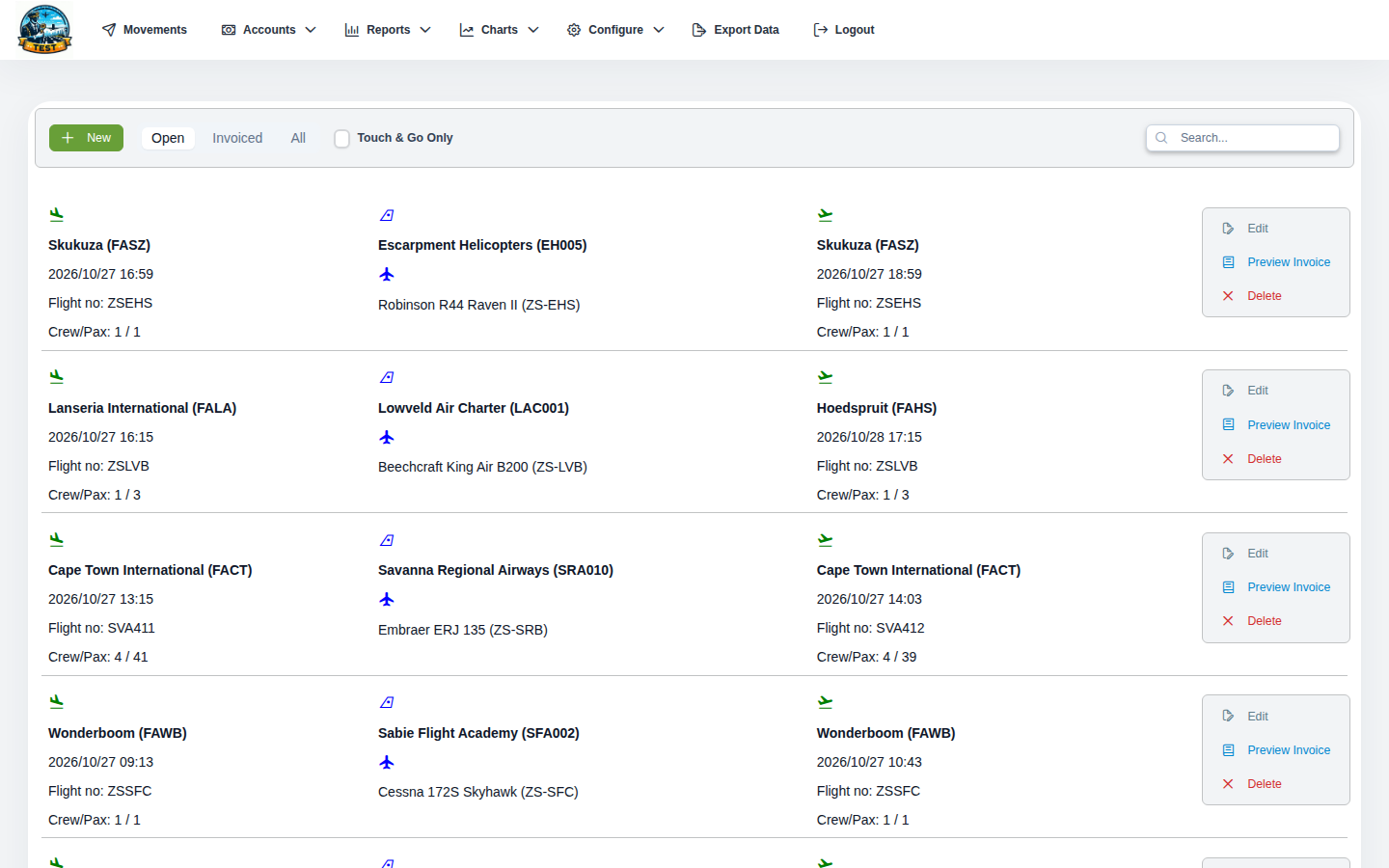
Your airport's movement log: every arrival and departure, and the aircraft, operators and airports behind them. It is where operations staff work all day, so it is built for fast entry and quick lookup.
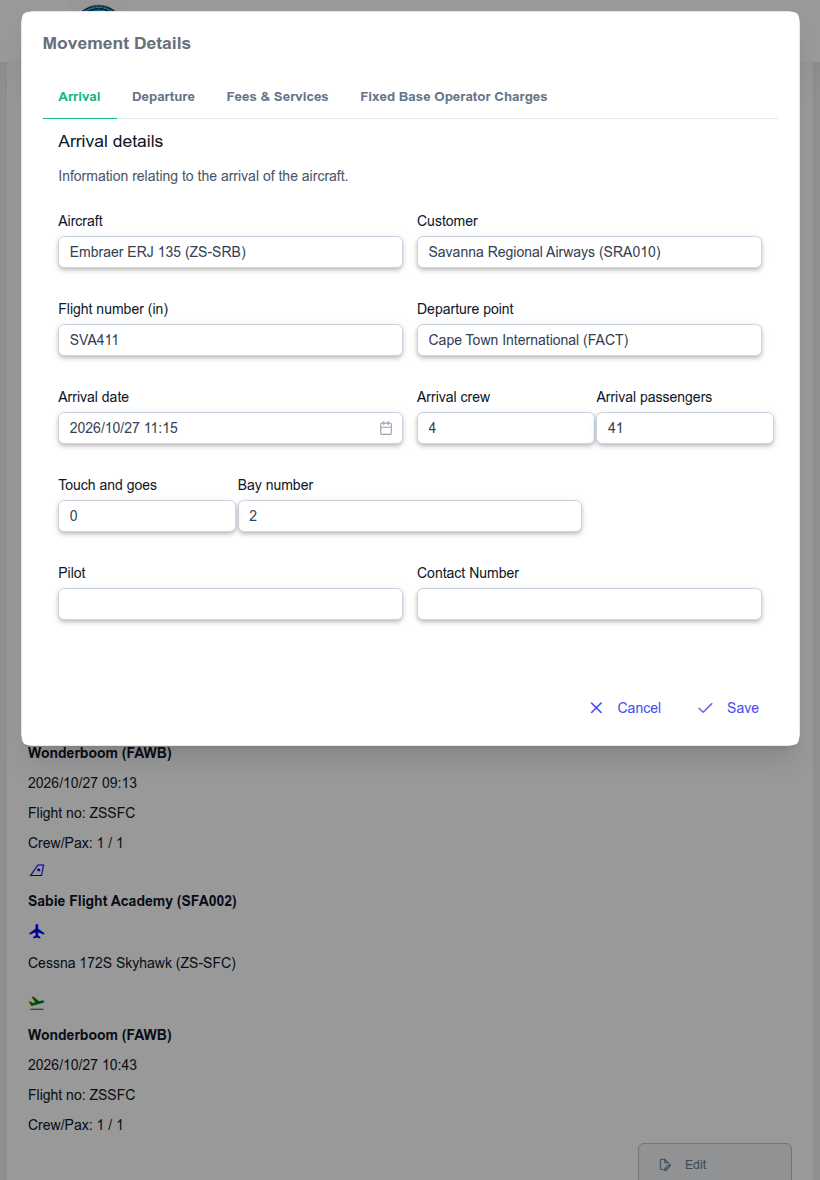
- Arrivals and departuresTimes, origin and destination, passengers in and out, crew, and the services used on the ground.
- On a tablet on the apronOperations staff record movements on tablets as they happen, not on paper to be typed up later. The same screens work on a phone or at a desk.
- Aircraft registerRegistrations, types and maximum take-off weights, with each aircraft's movement history.
- Operators and customersWho flies in, who pays, and how they are billed.
- AirportsThe airports your traffic comes from and goes to, for routes and passenger statistics.
- History of every changeEach correction is recorded with who made it and when, so the log can be trusted in a dispute or an audit.
- Users and accessNew users are approved before they get in, and permissions control who can record, edit, invoice or void.
Aeronautical billing
Landing fees and every other charge on your tariff, priced from each movement and turned into invoices and statements. Your tariff is set up once; after that, every movement is priced the same way every time.
- Landing and approach feesBy maximum take-off weight, per tonne or by band, with a rate for each traffic category your tariff uses.
- ParkingFrom actual time on stand: free for the first hours, then per day by weight band and traffic category.
- Passenger, security and check-in chargesFrom the passenger counts on the movement, with waivers where your tariff allows them.
- Ground services and FBO chargesGround power, air starters, fuel service, marshalling, baggage handling and overtime.
- VAT by dateThe rate in force on the date of supply, so a rate change never alters an old invoice.
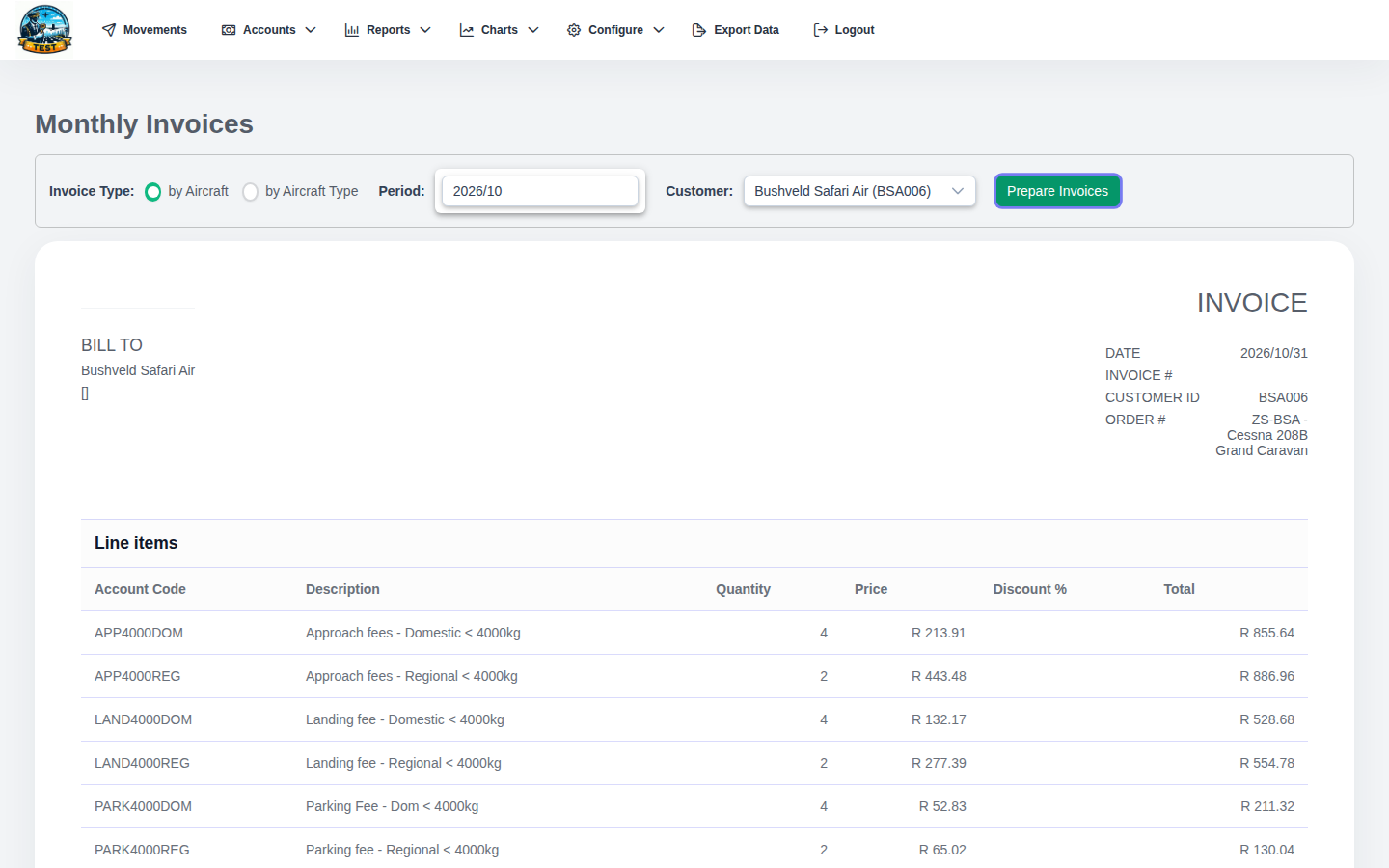
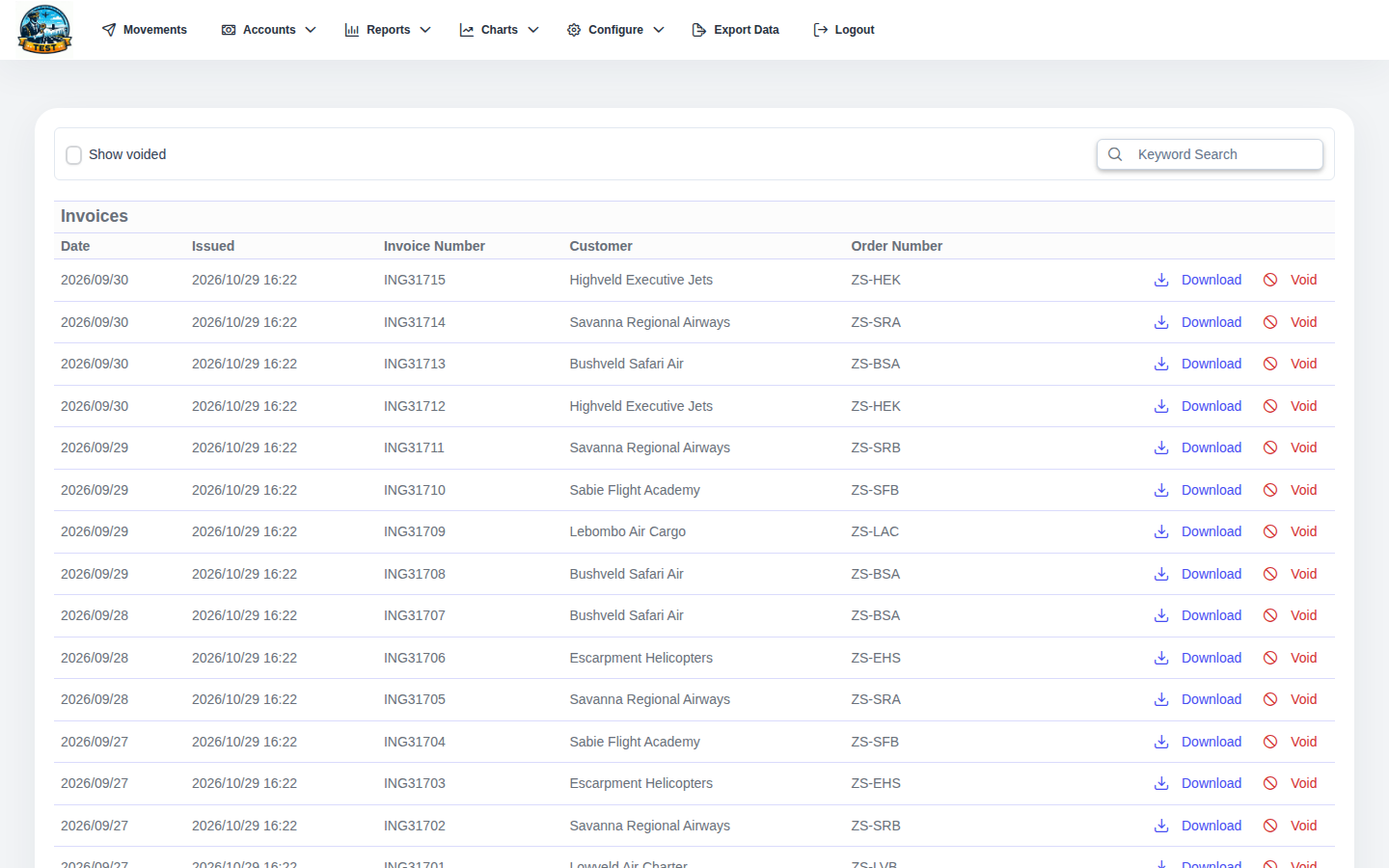
- Per-movement and monthly invoicingPreview before issuing. Regular operators get a monthly account invoice; visitors are invoiced per movement.
- Safe issuingAn invoice is sent once, even after a double click, and a movement can only be on one invoice. Anything uncertain is listed for reconciliation.
- Customer statementsBy aircraft or by aircraft type, as PDF.
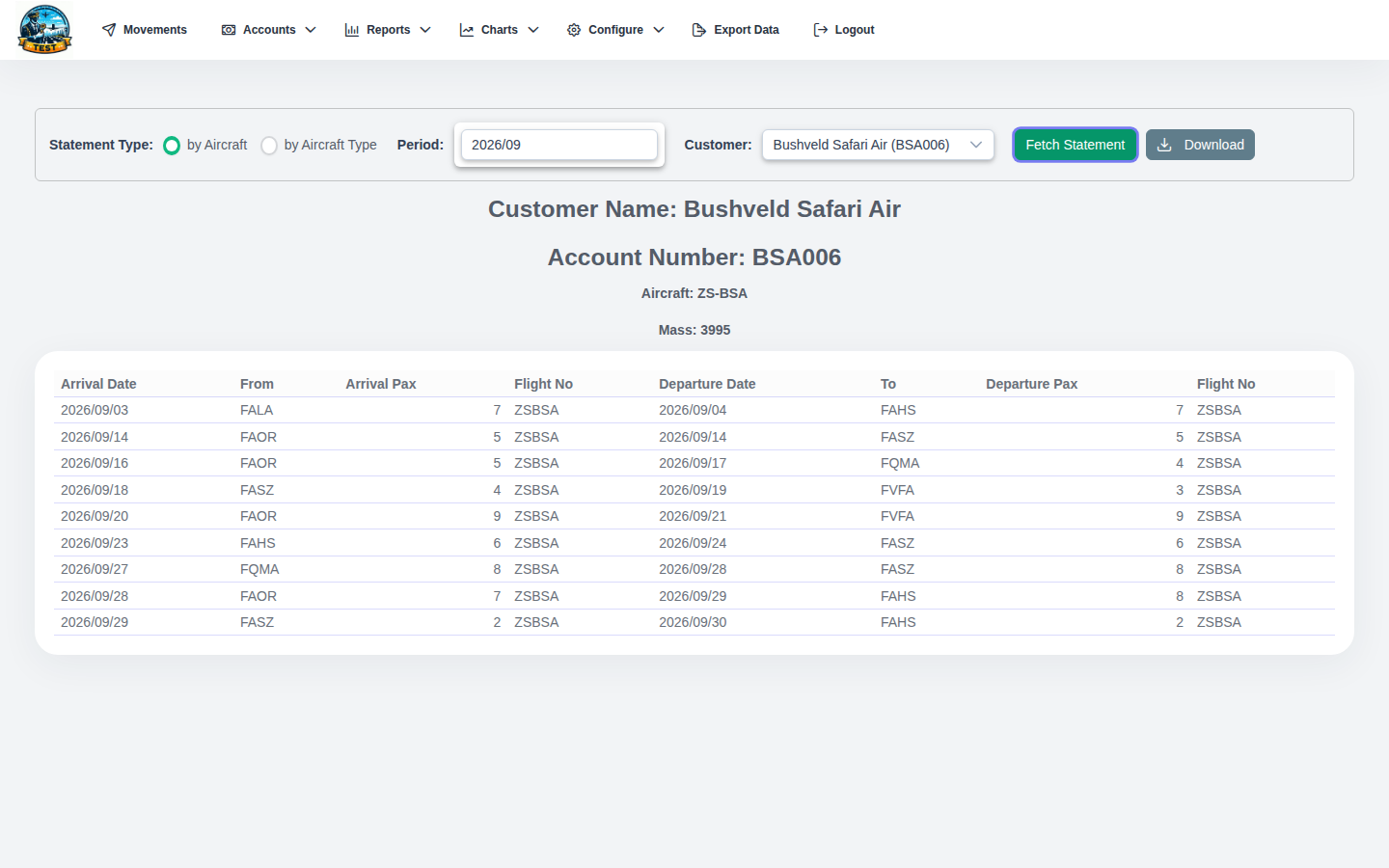
Reporting and statistics
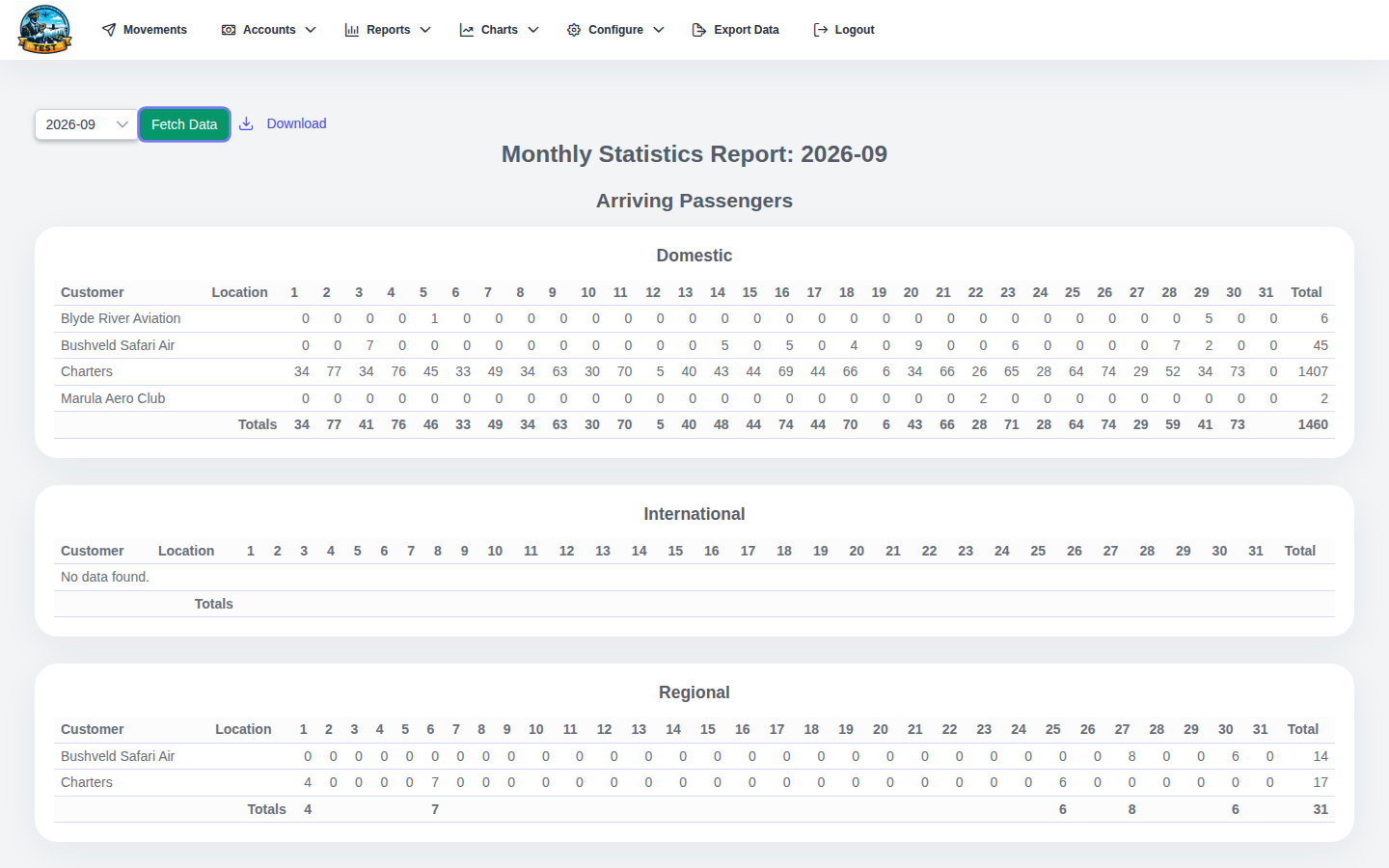
Traffic and passenger figures for management, the board and the regulator. The figures come straight from the movement log, so they agree with what was billed.
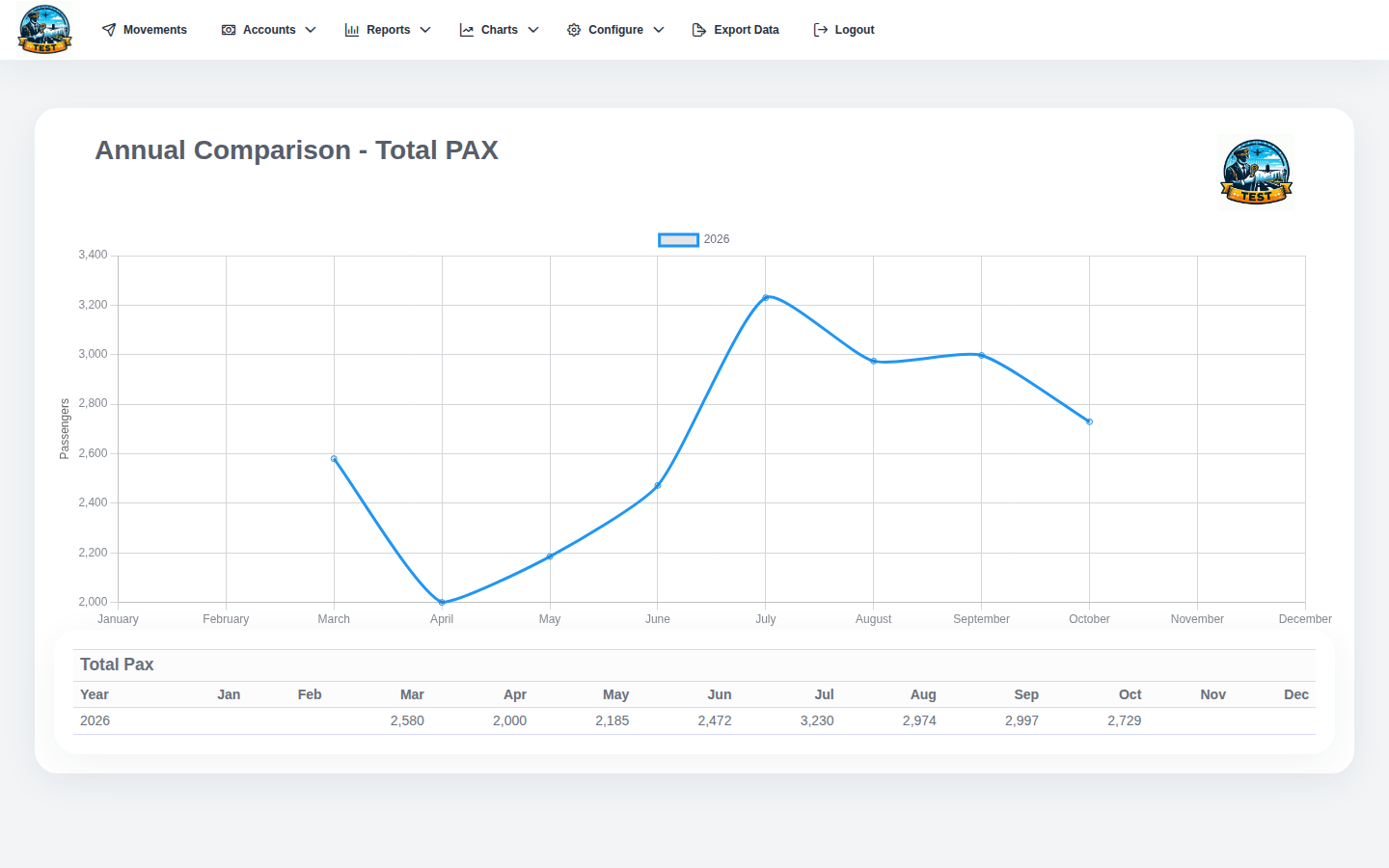
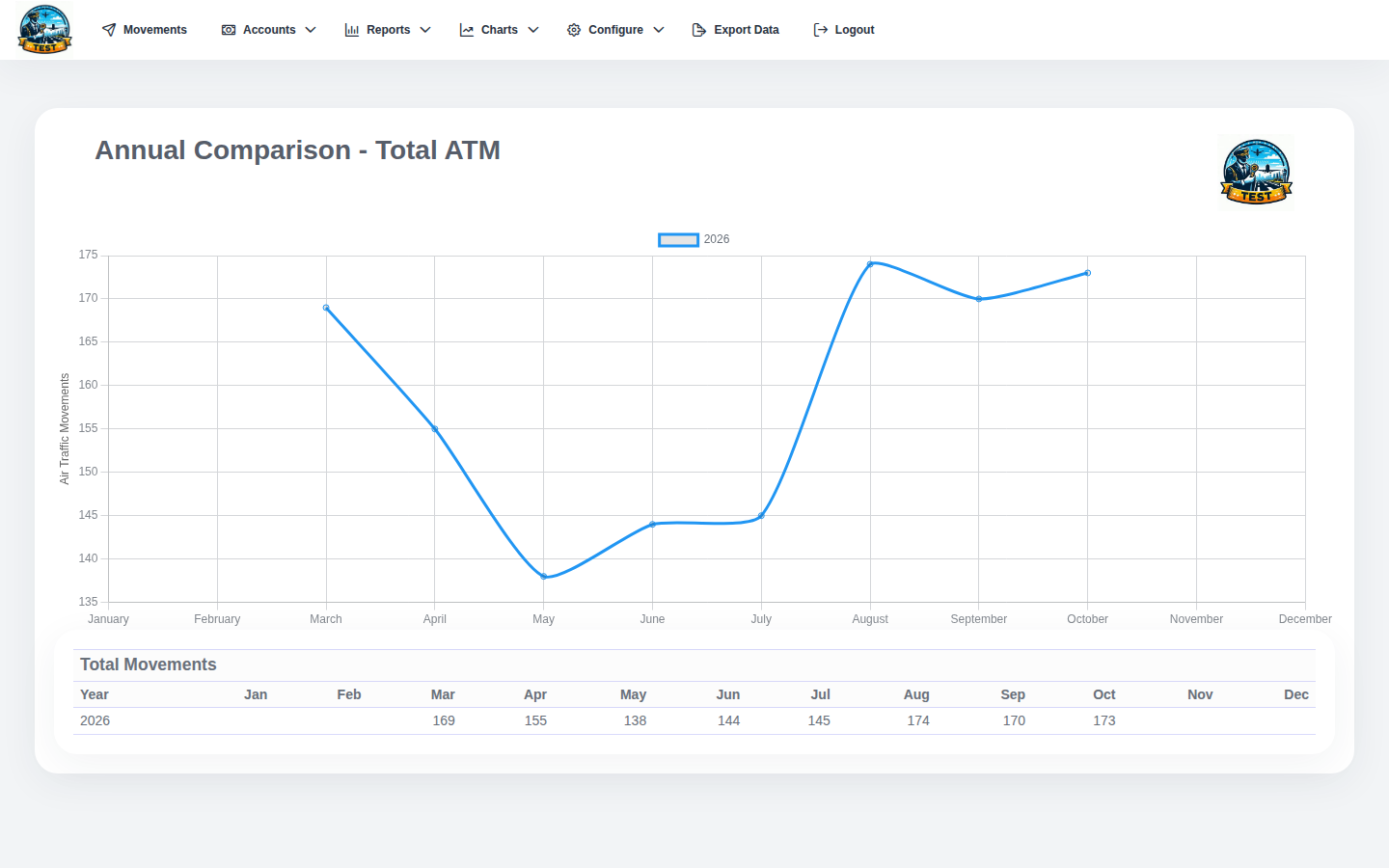
- Monthly and yearly statisticsMovements and passengers by month and year, with year-on-year summaries.
- Passenger flowsArriving and departing passengers, and where they came from or went to.
- Total movements and passengersTrends over time, as interactive charts.
- Operator performanceTraffic by customer, by location and by region.
Integrations
Connects AMM to your accounting package, to the statistics returns you file, and to flight data. Each connection is a separate piece, so a different accounting package can be added without touching the rest.
- Sage Pastel In productionInvoices go straight into Pastel with the right customer account and item codes. AMM checks a Pastel document number before recording it against an invoice. Needs Billing.
- Other accounting packagesAccounting sits behind its own adapter, so Sage, Xero, QuickBooks or your ERP can be added without changing the rest of AMM. Tell us what you use.
- SACAA statistics In productionExports movement data as a CSV file for the South African Civil Aviation Authority return. Other regulators' returns can follow the same pattern.
- Data exportMovement data out to spreadsheets for your own analysis.
- Flight data feeds In developmentDraft movements from flight tracking data, for staff to check and confirm instead of typing from scratch.
| Field | AMM | Pastel |
|---|---|---|
| Customer | Lowveld Air Charter | LOW001 |
| Reference | October 2026 · monthly | Order no. |
| Lines | 38 movements · 112 charges | Item codes |
| VAT | 15% by date of supply | Tax type |
| Result | Issued | INV004812 |
Pricing
Pay for the modules you use.
You pay for the modules you choose, sized to your airport. Tell us about your traffic and what you need, and we'll put together a quote.
- What sets the price
- The modules you choose and the size of your airport.
- Setting up
- We load your tariff, customers, aircraft and airports, and train your staff.
- Adding modules later
- Your existing movements are already there; a new module works from day one.